




Your crosshair
Every detail.
Right on target.
Build a crosshair from layers. Tune its shape, color and response to your inputs — then give it a place in your profile.

The tools behind
your setup.
Profiles, shortcuts, layers and animation. Open a view and see the details.

A home for your whole setup.
Profiles bring your modules, shortcuts and output choices together. Edit a setup, then activate it when you are ready.

Everything is a shortcut away.
Create a radial menu with your own layout, labels and actions. Keep a compact set of controls or build a deeper menu for a different workflow.
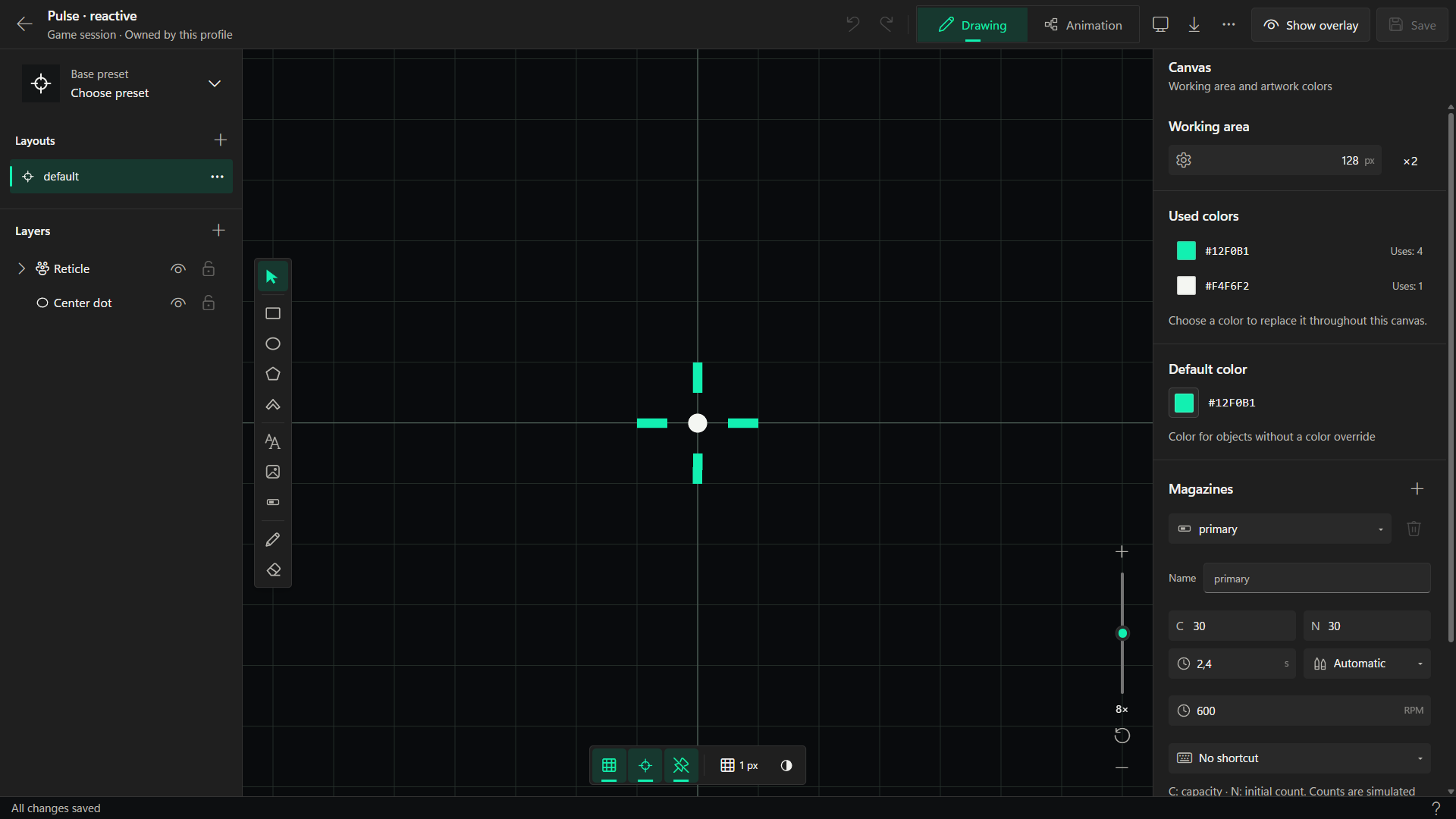
Make your center point personal.
Compose layers, refine geometry and add input-driven animation. Preview the details as you work, then save the design to your profile.

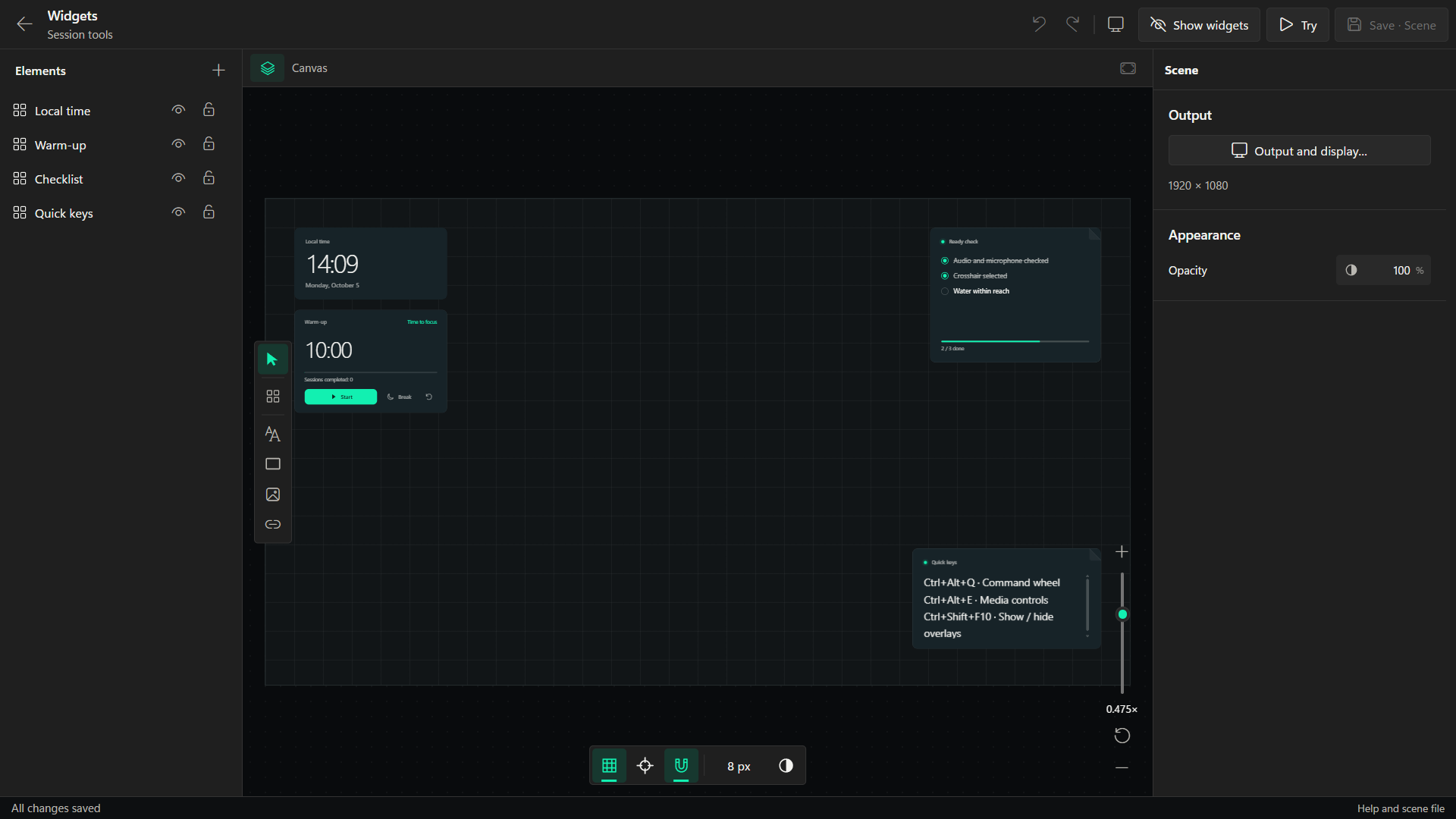
Useful at a glance. Yours by design.
Arrange widgets in a scene and customize their appearance. Built-in tools and the visual constructor give you room to keep building.

A good setup deserves to be shared.
Browse profiles, crosshairs, menus and widget templates. Review a download before adding it, or publish your own work through Steam Workshop.

The setup behind the setup.
Choose your output, review integrations and tune application behavior. Keep control over how Hovermate fits into your Windows desktop.
Steam Workshop
Made by you.
Shared with others.
Find a new starting point, or share your own. Profiles, crosshairs, action menus and widgets live together in Steam Workshop.
Choose the right output
Pick the mode
that fits your game.
Different games have different rules. Choose the output mode that suits your game and always follow its publisher’s overlay and anti-cheat policies.
- Desktop WindowA separate desktop overlay for windowed or borderless use. It does not inject into the game.
- Xbox Game BarDisplay supported content inside the Game Bar widget. The widget has its own setup and system-managed bounds.
- Direct3D 11 injectionAn optional mode for compatible targets where injection is permitted. It does not bypass anti-cheat or protected processes.
A few things to know
Before your next session.
What does Hovermate run on?
Hovermate is a Windows desktop application. The editor targets Windows 10 build 19041 or later. Individual output modes and integrations can have additional requirements.
Does it work with every game?
No. Compatibility depends on the game, graphics mode, permissions and the game’s policies. Desktop Window is intended for windowed or borderless use; true exclusive fullscreen may require another supported mode. No universal anti-cheat compatibility is promised.
Do I need Steam?
The Steam edition verifies your license through Steam, and Steam Workshop requires the Steam client and an account. Open the Steam edition from your licensed Steam account. License help is available through support.
Can I share my own creations?
Yes. Export profiles and individual modules as .hovermate files, or publish supported profiles, crosshairs, menus and widget templates to Steam Workshop. Review third-party content before importing it.
Will my overlay close with the editor?
Closing the editor leaves the Engine running in the Windows tray. Use the tray command to stop overlays and exit completely.
Where can I get help?
Send a request through Hovermate Support or email support@hovermate.gg. Include the application version and a short explanation of what happened. Never send passwords, Steam tickets or license secrets.